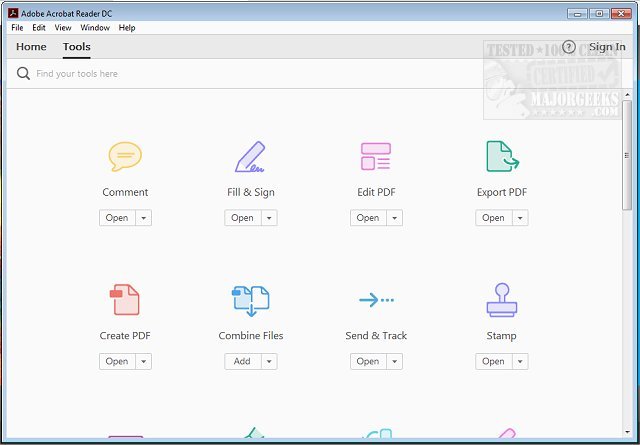
Adobe Acrobat Reader DC has released version 25.001.21184, enhancing its reputation as the go-to software for handling Portable Document Format (PDF) files. This free and widely distributed application allows users to view, print, and interact with PDFs, making it essential for various tasks—from academic assignments to professional document management.
Key Features of Adobe Acrobat Reader DC:
1. User-Friendly Viewing and Searching: The software allows seamless navigation through multi-page documents with an easy-to-use interface. Users can quickly locate specific content using the built-in search function.
2. Annotation Tools: Users can highlight, underline, and comment on PDFs with intuitive tools, making it simple for anyone to provide feedback or make notes directly on documents.
3. Digital Signatures: The "Fill & Sign" feature enables users to e-sign documents without needing to print them, streamlining workflows for contracts or forms.
4. Integration with Adobe Document Cloud: This feature allows for syncing across devices, enabling users to access and edit PDFs on their computers, smartphones, or tablets without hassle.
5. Optional Premium Features: For those seeking more functionality, a premium subscription offers advanced features like PDF creation, conversion, merging, and sophisticated editing capabilities.
6. Robust Security: The software includes Protected Mode to safeguard against harmful files, ensuring user data remains secure during online interactions.
Why You Should Download Adobe Acrobat Reader DC:
- It's entirely free, with optional premium upgrades available that offer significant additional features.
- Compatible across multiple platforms, including Windows, macOS, iOS, Android, and web browsers.
- Transforms static PDFs into interactive documents with its rich set of annotation and e-signature tools.
- Continuously updated to improve functionality and security, ensuring users have access to the latest features.
In conclusion, Adobe Acrobat Reader DC is not just a viewer; it’s a comprehensive solution for anyone who deals with PDFs regularly. Its diverse capabilities and ease of use make it a must-have tool for students, professionals, and everyday users alike. If you haven't already, download Adobe Acrobat Reader DC today and elevate your PDF experience!
Further Resources:
- How to Create a PDF in Windows
- Understanding Adobe Acrobat Update Service or Adobe_Updater.exe
Key Features of Adobe Acrobat Reader DC:
1. User-Friendly Viewing and Searching: The software allows seamless navigation through multi-page documents with an easy-to-use interface. Users can quickly locate specific content using the built-in search function.
2. Annotation Tools: Users can highlight, underline, and comment on PDFs with intuitive tools, making it simple for anyone to provide feedback or make notes directly on documents.
3. Digital Signatures: The "Fill & Sign" feature enables users to e-sign documents without needing to print them, streamlining workflows for contracts or forms.
4. Integration with Adobe Document Cloud: This feature allows for syncing across devices, enabling users to access and edit PDFs on their computers, smartphones, or tablets without hassle.
5. Optional Premium Features: For those seeking more functionality, a premium subscription offers advanced features like PDF creation, conversion, merging, and sophisticated editing capabilities.
6. Robust Security: The software includes Protected Mode to safeguard against harmful files, ensuring user data remains secure during online interactions.
Why You Should Download Adobe Acrobat Reader DC:
- It's entirely free, with optional premium upgrades available that offer significant additional features.
- Compatible across multiple platforms, including Windows, macOS, iOS, Android, and web browsers.
- Transforms static PDFs into interactive documents with its rich set of annotation and e-signature tools.
- Continuously updated to improve functionality and security, ensuring users have access to the latest features.
In conclusion, Adobe Acrobat Reader DC is not just a viewer; it’s a comprehensive solution for anyone who deals with PDFs regularly. Its diverse capabilities and ease of use make it a must-have tool for students, professionals, and everyday users alike. If you haven't already, download Adobe Acrobat Reader DC today and elevate your PDF experience!
Further Resources:
- How to Create a PDF in Windows
- Understanding Adobe Acrobat Update Service or Adobe_Updater.exe
Adobe Acrobat Reader DC 25.001.21184 released
Adobe Acrobat Reader DC is free and freely distributable software that lets you view and print Portable Document Format (PDF) files.