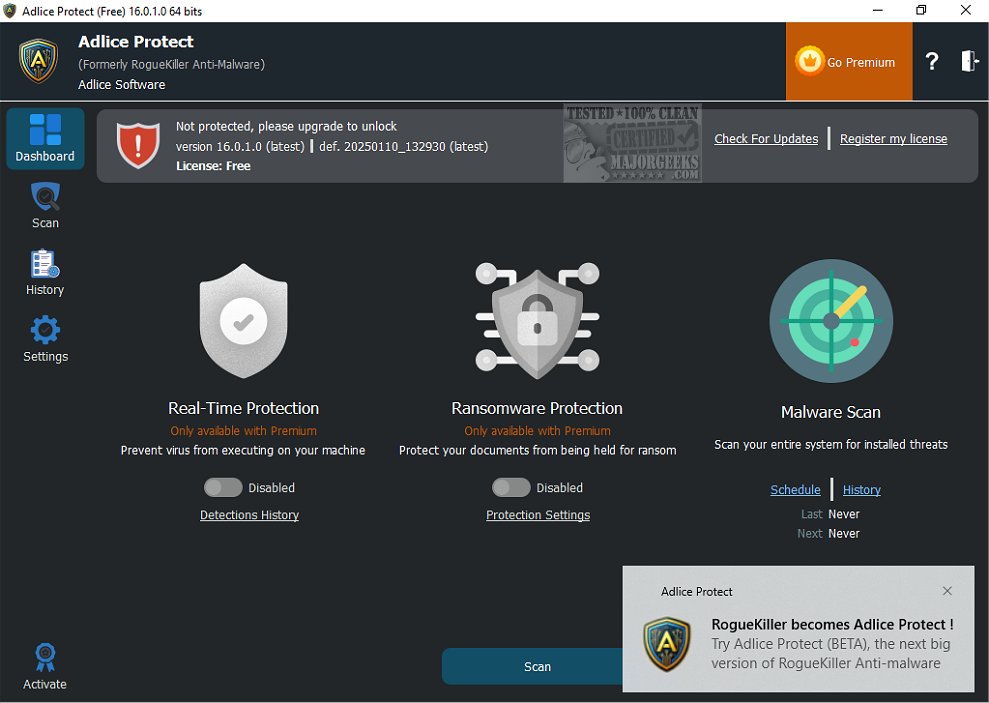
Adlice Protect version 16.5.6.0 has been released, enhancing its capabilities as an anti-malware application designed for advanced users. Formerly known as RogueKiller, this tool excels at removing difficult-to-eliminate malware, utilizing a combination of signature-based detection and heuristic analysis. It also offers a command line interface for users who prefer that method of operation.
Due to its robust functionality, Adlice Protect is particularly effective at tackling resilient infections, such as rootkits, making it a valuable choice for malware removal. While it can also help maintain the integrity of the operating system, users should note that it is designed to complement existing antivirus solutions without causing conflicts.
However, prospective users should approach Adlice Protect with caution. Unlike more user-friendly alternatives like Malwarebytes, which cater to home users with automated scanning and removal processes, Adlice Protect requires a deeper understanding of potential threats. It presents users with detailed information about detected issues, necessitating that they discern which items should be removed. Inexperienced users may inadvertently delete important files, leading to system instability.
For those seeking to scan their systems for malware without the complexity that comes with Adlice Protect, there are several free and safe alternatives available, such as Malwarebytes. Generally, Adlice Protect is best suited for advanced users and IT professionals who are comfortable navigating the nuances of malware detection and removal.
In conclusion, while Adlice Protect is a powerful tool for addressing stubborn malware, it is essential for users to possess a certain level of technical expertise or consult a knowledgeable individual before proceeding with its use. This ensures that they can effectively manage the risks associated with malware removal while leveraging the software's full potential
Due to its robust functionality, Adlice Protect is particularly effective at tackling resilient infections, such as rootkits, making it a valuable choice for malware removal. While it can also help maintain the integrity of the operating system, users should note that it is designed to complement existing antivirus solutions without causing conflicts.
However, prospective users should approach Adlice Protect with caution. Unlike more user-friendly alternatives like Malwarebytes, which cater to home users with automated scanning and removal processes, Adlice Protect requires a deeper understanding of potential threats. It presents users with detailed information about detected issues, necessitating that they discern which items should be removed. Inexperienced users may inadvertently delete important files, leading to system instability.
For those seeking to scan their systems for malware without the complexity that comes with Adlice Protect, there are several free and safe alternatives available, such as Malwarebytes. Generally, Adlice Protect is best suited for advanced users and IT professionals who are comfortable navigating the nuances of malware detection and removal.
In conclusion, while Adlice Protect is a powerful tool for addressing stubborn malware, it is essential for users to possess a certain level of technical expertise or consult a knowledgeable individual before proceeding with its use. This ensures that they can effectively manage the risks associated with malware removal while leveraging the software's full potential
Adlice Protect 16.5.6.0 released
Adlice Protect (formerly RogueKiller) is an anti-malware app for advanced users capable of removing stubborn malware based on a list of signatures and heuristic analysis. Command line version available.