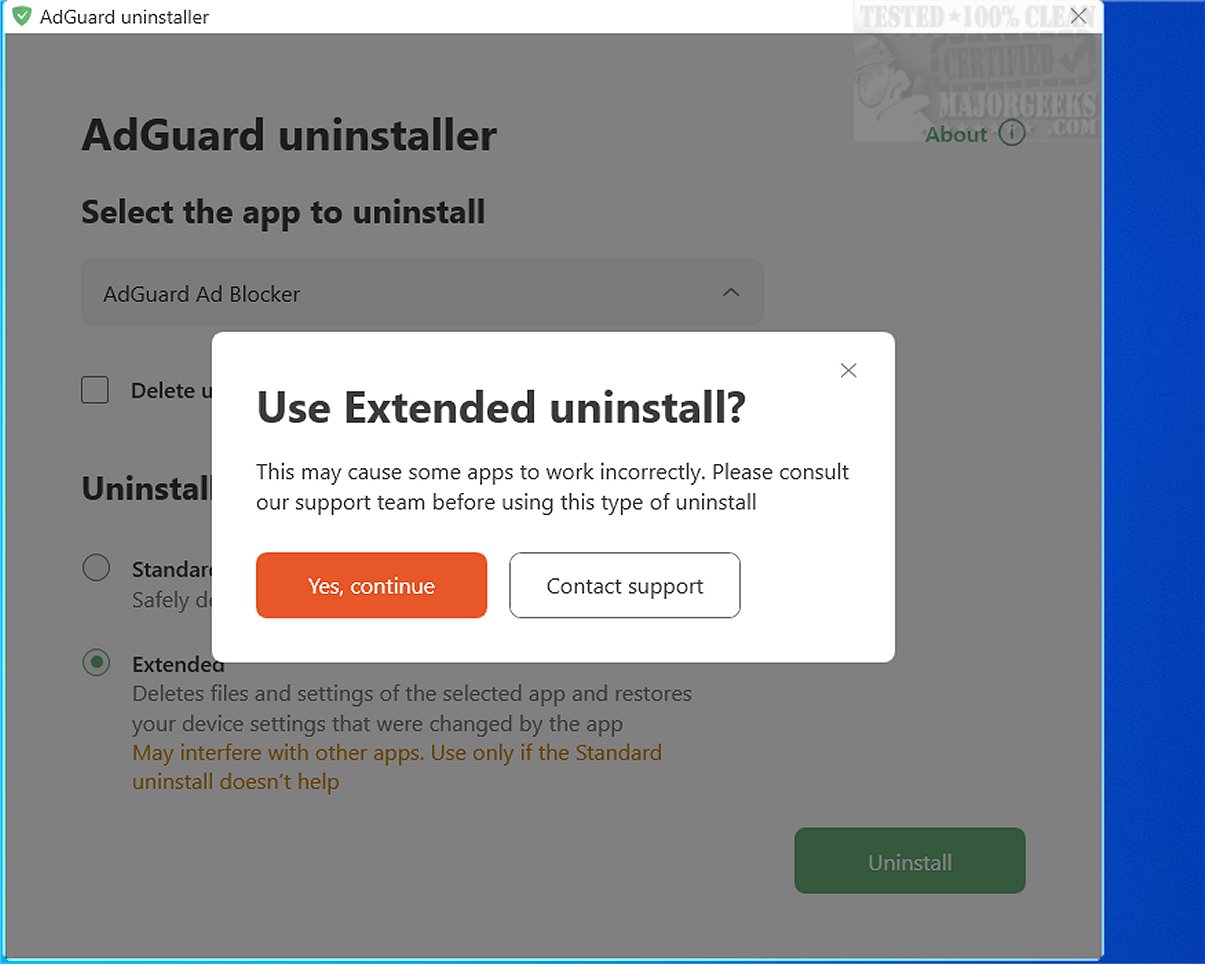
AdGuard has released version 1.22.0 of its AdGuard Uninstaller, a tool specifically created to assist users in completely removing the AdGuard AdBlocker or AdGuard VPN. This utility comes in handy when standard uninstallation methods fail or when errors prevent the reinstallation of these applications.
To utilize the AdGuard Uninstaller, users need to download the tool, extract its contents to their computer, and run the Adguard.UninstallUtility.exe file. During this process, users will need to grant the application permission to modify their device.
One of the key benefits of using the AdGuard Uninstaller is its ability to remove all remnants of the software, including files, registry entries, and settings that may not be addressed by conventional uninstallation methods found in "Apps & features" or "Control Panel." This makes it particularly useful for those who encounter problems during the standard uninstallation or want to ensure that no traces of AdGuard are left on their system.
Using the AdGuard Uninstaller is simple:
1. Extract and Run: Open the folder where the tool was extracted and execute the Adguard.UninstallUtility.exe file.
2. Follow Instructions: Follow the on-screen prompts to ensure a thorough removal of the software.
The process is designed to be user-friendly and efficient, making it easy for anyone to remove AdGuard from their system without complications.
Overall, the AdGuard Uninstaller not only streamlines the removal process but also ensures that users can start afresh without leftover files or settings. This is a significant advantage for users who may have encountered issues with previous installations.
Extension: In addition to its primary function, the AdGuard Uninstaller can serve as a preventive measure against potential future issues with the software. By ensuring a clean uninstallation, users can mitigate the risk of performance problems or errors that may arise from leftover components. Furthermore, maintaining an organized system free of obsolete software can enhance overall device performance, making the use of such a tool beneficial beyond just troubleshooting. Whether users plan to reinstall the software or switch to alternative solutions, the AdGuard Uninstaller provides a reliable means to manage their applications effectively
To utilize the AdGuard Uninstaller, users need to download the tool, extract its contents to their computer, and run the Adguard.UninstallUtility.exe file. During this process, users will need to grant the application permission to modify their device.
One of the key benefits of using the AdGuard Uninstaller is its ability to remove all remnants of the software, including files, registry entries, and settings that may not be addressed by conventional uninstallation methods found in "Apps & features" or "Control Panel." This makes it particularly useful for those who encounter problems during the standard uninstallation or want to ensure that no traces of AdGuard are left on their system.
Using the AdGuard Uninstaller is simple:
1. Extract and Run: Open the folder where the tool was extracted and execute the Adguard.UninstallUtility.exe file.
2. Follow Instructions: Follow the on-screen prompts to ensure a thorough removal of the software.
The process is designed to be user-friendly and efficient, making it easy for anyone to remove AdGuard from their system without complications.
Overall, the AdGuard Uninstaller not only streamlines the removal process but also ensures that users can start afresh without leftover files or settings. This is a significant advantage for users who may have encountered issues with previous installations.
Extension: In addition to its primary function, the AdGuard Uninstaller can serve as a preventive measure against potential future issues with the software. By ensuring a clean uninstallation, users can mitigate the risk of performance problems or errors that may arise from leftover components. Furthermore, maintaining an organized system free of obsolete software can enhance overall device performance, making the use of such a tool beneficial beyond just troubleshooting. Whether users plan to reinstall the software or switch to alternative solutions, the AdGuard Uninstaller provides a reliable means to manage their applications effectively
AdGuard Uninstaller 1.22.0 released
AdGuard Uninstaller is a specialized tool designed to help you remove AdGuard AdBlocker or AdGuard VPN, particularly when you encounter issues with these applications or face errors that hinder their reinstallation.